The MetaMapper Blog
Image Alternatives: Try Different Images in One Preset
Switch icons and illustrations inside a MetaMapper preset. Try Image Alternatives with a Windows XP message or zodiac design, then make it your own.
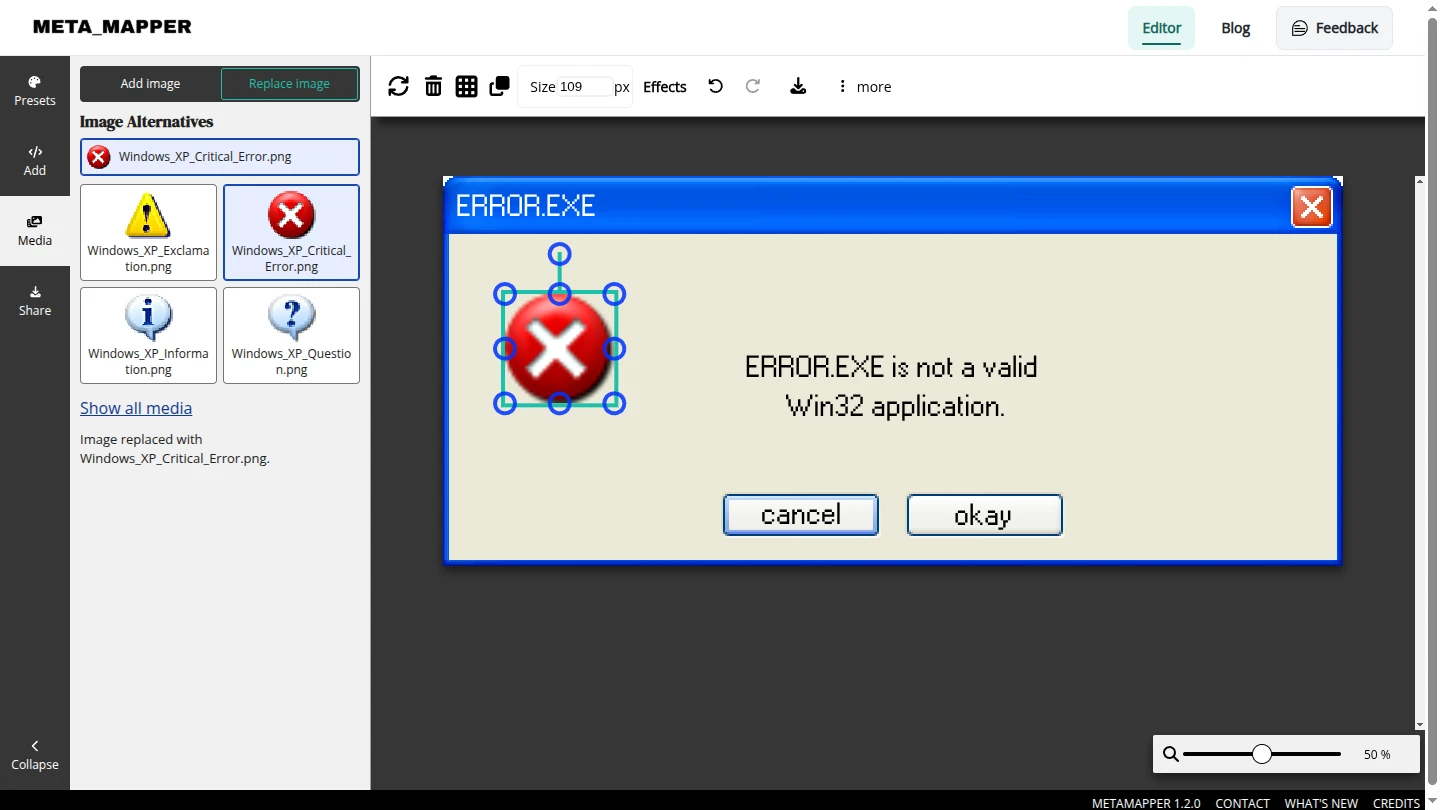
A different image can change the feel of a design. Image Alternatives gives selected images in a MetaMapper preset a set of ready-to-use variants. Turn an error into a warning or choose another zodiac illustration while keeping the rest of your composition in place.
How to switch an image
- Open a preset that supports Image Alternatives and select its icon or illustration on the canvas. Media → Replace image opens automatically.
- Choose a thumbnail under Image Alternatives. The selected image changes immediately, so you can compare options on the canvas.
- Edit the text to match your idea, then open Share → Download to export your design.
The editor screenshot above shows the four XP icon choices beside the selected dialog icon. You can also reach them through Media → Replace image and select the image layer shown there.
Try these two presets
- Windows XP message template: switch between error, warning, information, and question icons. Change the title, message, and button labels to make a retro meme, a playful reminder, or an announcement.
- Zodiac sign template: start with the Aries design and try the available zodiac illustrations. Edit the sign heading and message separately to match your chosen artwork.
Make several versions of one design
Image replacements keep the layer's position, width, and rotation. Each new image keeps its own proportions, and you can still move or resize it. Undo and redo let you revisit a choice as you experiment.
Try a warning icon for a coffee-break reminder, then a question mark for a prompt. Download each version, or use the zodiac preset to make a series of posts with matching text and different illustrations.
More image variants are coming
We'll be adding Image Alternatives to more presets, with more choices to try. For now, start with either template above or browse the preset collection for your next design.